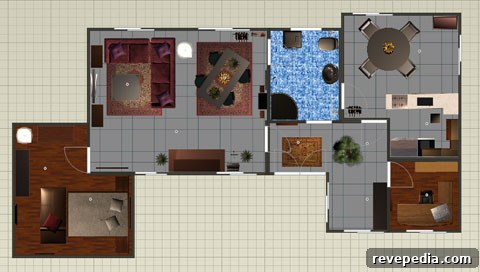
As software and technology continue to evolve, 3D virtual room-planning tools are becoming more powerful and accessible. Below is a curated list of free online and downloadable design tools that let you visualize and create rooms in three dimensions. Each option has unique strengths, so whether you’re planning a full renovation or simply experimenting with layout and finishes, you can find a tool that fits your needs and skill level.
Homestyler (Autodesk)
Homestyler is user-friendly and ideal for beginners: load the designer in your browser and start building by dragging and dropping items into your space. The library includes over 15,000 items ranging from generic furniture to recognizable brand-name products. You can save and share your designs via social media or email. A standout feature is the combination of real product photography and 3D rendering, which helps bring your room to life with realistic visuals.
Dwell partners with Homestyler and has branded its portion as the Dwell Design Desk. While the gallery selection remains limited for now, look for the collection to expand as more designers contribute.
MyDeco 3D Room Planner
MyDeco’s new 3D planner improves on their earlier tool with enhanced controls and a more flexible camera system, allowing you to view your room from multiple angles and vantage points. The product inventory is extensive, though currently weighted toward UK retailers; the U.S. offerings continue to grow. This planner is a solid choice for those who want intuitive navigation and strong visualization features.
SketchUp (Google)
SketchUp is a powerful option for prosumers and professionals who need advanced customization. The application requires a download and has a steeper learning curve than browser-based tools, but it provides unmatched control for creating precise rooms, buildings, and custom elements. The basic SketchUp edition is free; SketchUp Pro (paid) enables export to CAD and other professional formats, and supports full presentations with both visuals and descriptive text.
IKEA Room Planners
IKEA offers three specialized planners for kitchens, bedrooms, and home offices. These tools are downloadable applications and, at the time of review, are available for Windows only. They’re tailored to IKEA’s product ranges and can be useful for planning layouts using IKEA furniture, though a web-based version would offer broader accessibility in future updates.
La-Z-Boy and Stickley Room Planners (Icovia)
Both La-Z-Boy and Stickley use room-planning software developed by Icovia. The tools load quickly and present products clearly, though image resolution can be modest in places. If you prefer upholstered and leather pieces, La-Z-Boy’s planner highlights those options; if you lean toward traditional wood furniture, Stickley showcases refined wooden designs. Many other manufacturers and retailers also offer similar planning tools built on the same or comparable platforms.
Try On a Floor (Shaw Floors)
Shaw Floors provides a straightforward tool for testing flooring choices. Upload a photo of your room, select a flooring option from their catalog, and preview how the floor will look in your space. This visual trial helps you evaluate color, pattern, and texture before making a purchase decision.
Design a Room (Armstrong)
Armstrong’s room designer focuses on flooring visualization and, although the interface is somewhat dated, it remains effective for comparing contemporary and traditional styles. Nearly every Armstrong flooring product is represented, making it a practical resource when narrowing down floor selections.
Choosing the right tool depends on your goals: choose Homestyler or MyDeco for quick browser-based design and realistic visualizations; SketchUp for detailed, professional modeling; and manufacturer planners like IKEA, Shaw Floors, and Armstrong for product-specific previews. All of the tools listed above offer free options so you can start designing your own room immediately and in 3D.