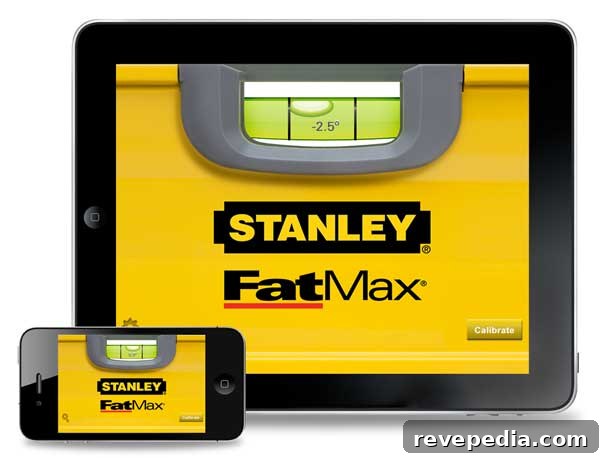
Stanley has released a redesigned digital level app for iPhone and iPad, making simple home projects quicker and more convenient. The app is free and comes with two appearances: a classic cherry wood or the bright FatMax yellow. It turns your compatible iPhone or iPad into a practical, easy-to-use level that’s ideal for common tasks like hanging pictures, installing shelves, or making quick adjustments around the house when grabbing a physical level would be inconvenient.
The app uses the device’s built-in accelerometer and gyroscope to determine its position in space. Once you perform the initial calibration, the interface displays a clear bubble and numerical readout that indicates angles up to 90 degrees, showing 0 degrees when the device is perfectly level. The display is designed for legibility, with crisp numbers and intuitive feedback to help you get accurate results quickly.
Stanley’s Level App supports a range of Apple devices, including iPhone 3GS, iPhone 4, iPhone 4S, iPhone 5, and compatible iPod touch and iPad models running iOS 5.0 or later. This broad compatibility makes it easy for many users to take advantage of a reliable digital leveling tool without needing extra hardware.
Whether you’re a DIY enthusiast or just tackling occasional household jobs, the Stanley Level App provides a straightforward, no-cost solution for achieving precise alignment. Its simple setup, clear visual cues, and device compatibility make it a practical addition to your toolkit for everyday leveling needs.