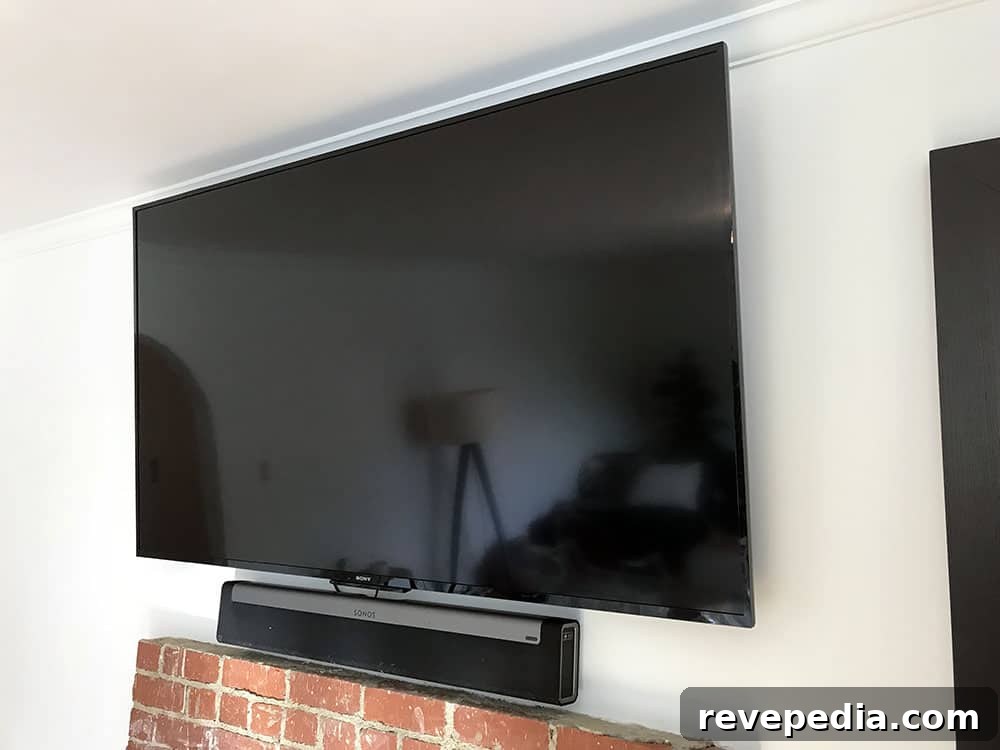
We had been cable subscribers for years. We experimented with DirecTV for a couple of years but returned to Time Warner for its convenience and reliability. After our recent move, we decided to start fresh: we cut the cord and haven’t looked back. So far, ditching cable has been a smart decision. Here’s what we learned and why it worked for us.
Saving Money
In our area of Los Angeles, Time Warner (now Spectrum) effectively held a monopoly on cable service. The service itself was generally good, but paying for HBO, an add-on sports package, HD channels, and internet pushed our bill toward $200 per month. We rarely watched broadcast TV except for a few sports events, so that cost felt unnecessary. By assembling a mix of streaming services, we reduced our monthly bill by roughly $50 while keeping access to the content we wanted.
Channel Selection
Spectrum remains our best option for internet access locally, but we continue to reassess. Using wireless connections and a streaming device gives us access to channels, apps, and movies without a cable subscription. We use a Roku device because it’s a third-party platform and less likely to be affected by distribution disputes involving larger providers.
We were already long-time Netflix subscribers and Amazon Prime members. We added HBO Now to watch Game of Thrones and subscribed to Hulu + Live TV for sports and live network events. All services integrated through Roku, though Hulu + Live TV experienced persistent buffering issues for us despite having more than 100 Mbps download speeds. That buffering created unacceptable delays while other services performed normally.
When Hulu + Live TV didn’t improve, we switched to Sling TV. Sling’s combined Orange and Blue package covers most major cable channels and broadcast networks for about $45 per month. We added a couple of inexpensive add-on packs for lifestyle and sports channels. Sling streamed reliably, and we were able to watch big events such as the Super Bowl without problems. Sling didn’t carry the Oscars in our market, but we solved that by adding an HD antenna. Overall, we didn’t feel like we were missing anything essential.
Sling TV also offers a DVR, which we used to record events like the Olympics. Its interface made it simple to search for and play programs. We even added HBO through Sling, which allowed us to cancel the separate HBO Now subscription and simplify our billing.
No Cables or Boxes
We purchased a new Sony 70″ television on Black Friday and mounted it above the fireplace. We paired it with a Roku Streaming Stick Plus that draws power from the TV’s USB port. The only visible wiring now is the TV power cable, the Sonos Playbar power cable, and an optical audio cable connecting the Playbar to the TV.
Removing cable boxes freed up space and eliminated the need for RF remotes. We also chose not to reconnect our Blu-ray player—most movies we buy are available through Amazon Prime, which lets us stream content from anywhere.
Everything can be controlled with a Harmony remote or the corresponding app. The Harmony works with our Sony TV, Roku, and Sonos Playbar, though we tend to use Roku’s own remote for streaming navigation.
We experienced some HDCP issues with our Roku device. After contacting Roku, they replaced the Streaming Stick Plus with a Roku Ultra, which improved stability. We discovered a recurring purple HDCP warning screen that sometimes appears when using YouTube on Roku; avoiding YouTube on the device prevented that specific problem. We also own a Chromecast, but prefer Roku because of its remote-driven interface.
Second TV
We plan to mount our old TV downstairs and use another Roku there, logging into the same streaming accounts. This lets us maintain a clean setup without cable boxes on either screen.
Cutting the cord makes sense for many people. Cable and satellite packages often lock subscribers into high monthly costs. Even heavy TV viewers can usually find what they need through streaming services and reduce their media bills substantially. If you’re uncertain about canceling, call your cable or satellite provider and tell them you want to cancel—they will often offer discounted rates to retain customers. That can be a useful negotiation tactic even if you ultimately move to streaming.
Keep in mind that each additional TV you use for streaming increases your bandwidth needs. Streaming is one of the most data-intensive activities on a home network, so make sure your internet plan and router can handle multiple streams. If you experience stuttering, lag, or slow responsiveness and hardware issues are ruled out, consider checking available internet providers in your area and upgrading to a plan and modern router that supports several concurrent high-definition streams.