At the Dahl House we take lighting seriously, but we don’t rush decisions about fixtures, switches, outlets, or bulbs. While some fixtures remain undecided, upgrading switches, dimmers, and outlets has become a priority for safety and convenience. After researching options, we chose Leviton as a comprehensive solution to significantly improve our home’s lighting controls.
Our existing switches are a mix of different styles and ages. Some fixtures have dimmers while others do not; some dimmers are sliders, others are push-button; and many wall plates don’t match. They function, but they fall short in design and capability. Leviton’s Decora Smart line of lighting controls stood out for its combination of form and function, so we decided it was the right fit for our home.
Smart Lighting
We’ve tried various smart home solutions that use WiFi-enabled smart plugs to control lamps and small appliances, but those don’t address hardwired overhead and recessed lighting. The Decora Smart dimmer with built-in WiFi replaces a standard dimmer and provides native smart control for hardwired fixtures. The unit is attractive and intuitive: a soft green glow when off helps locate the switch in the dark and also provides a visual indicator of brightness. If you prefer no glow, the LED can be disabled in the app.
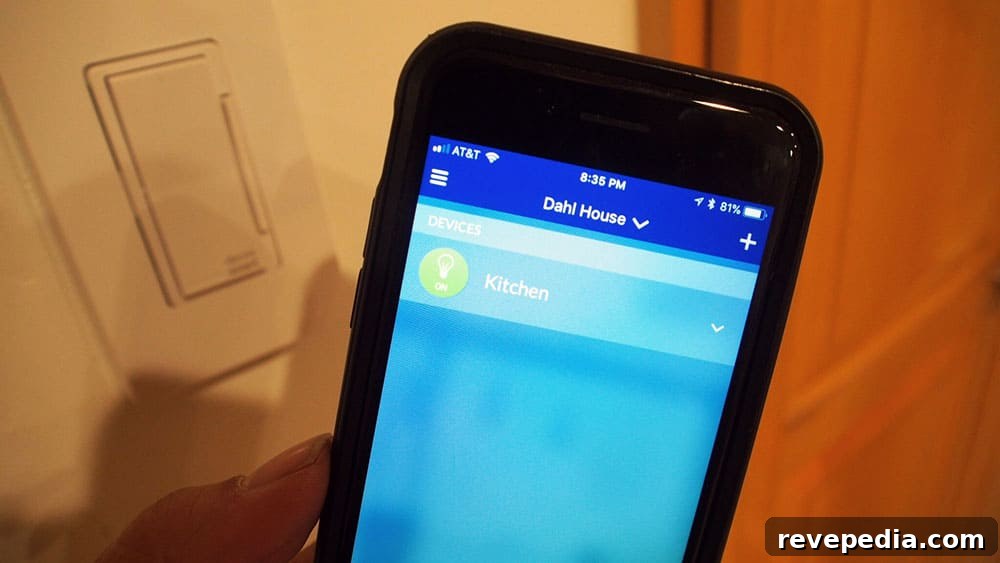
Pairing the dimmer with the My Leviton app is straightforward. Once connected, you can turn lights on or off, set brightness from 1 to 100%, group devices (for example, turn all lights off at night), and create scheduled on/off routines. The scheduling capability was particularly appealing to us because it adds convenience and enhances home security.
Set a Schedule for Security
Basic timers can help when you travel, but predictable schedules are easy for intruders to spot. A randomized or varied lighting schedule gives a better impression that a home is occupied. With the app, schedules can be adjusted remotely, so there’s no need to remember to set timers before leaving. Leviton also offers a Decora Smart plug-in outlet so lamps and appliances can be controlled alongside hardwired fixtures within the same app ecosystem.
Beyond travel security, automated lighting is useful for everyday life—having lights come on as you arrive home reduces the risk of entering a dark house, which is especially helpful for people who live alone.
Voice Control
One pleasant surprise was that the Decora Smart dimmer works with Alexa. We recently added Sonos One speakers with Alexa support, so we can control lights with voice commands in addition to the mobile app. Decora Smart products also integrate with Google Home, Apple HomeKit, Samsung SmartThings, and Z-Wave technology, so they fit into a wide range of smart home setups.
Installation
We’ve swapped out switches and dimmers before, but this was our first smart dimmer installation. The process is similar to installing a standard dimmer, but Decora Smart devices require a neutral wire. Before buying and installing, remove the old switch to confirm the necessary wiring is present; if not, consult a licensed electrician to update the wiring safely.
Always turn off the circuit at the breaker and verify power is off with a multimeter before handling wiring. Leviton includes clear instructions and wiring diagrams with their products. If any step is unclear, hire a professional electrician. Our installations went smoothly overall, though some switch boxes in our 1940s home are cramped. When we eventually update the wiring, we’ll replace those boxes to provide more room for connections.
Set Up the App
After installing and powering the Decora Smart dimmer, we downloaded the My Leviton app and connected the device to our home WiFi. The setup took less than five minutes. The app also asks you to specify the type of bulbs you use—LED, CFL, or incandescent—so the dimmer can operate correctly with your lighting. Choosing the right bulb type is important for smooth dimming performance.
We’re excited to update all our dimmers and switches to gain full, remote control over our lighting. Our next projects include upgrading outlets to AFCI/GFCI models and installing USB-enabled outlets in key locations around the house to modernize convenience and safety.
This post is sponsored by Leviton. Product was provided by Leviton for review. All opinions are 100% those of Timothy and Laura Dahl.