
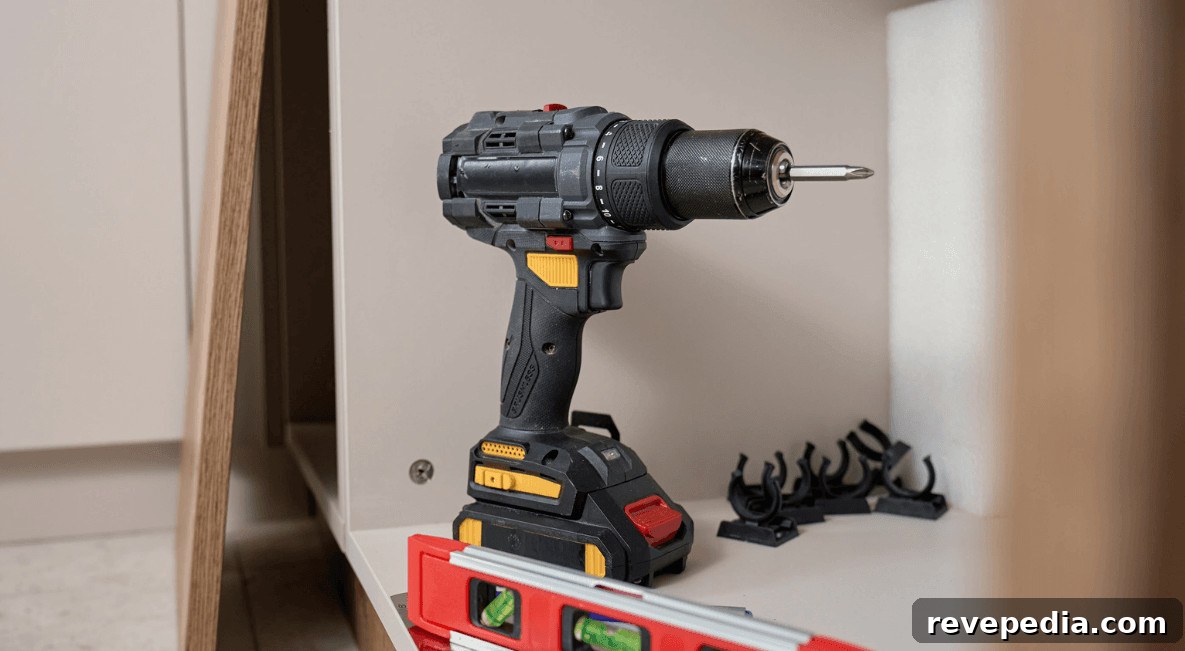
Building a cordless tool setup that lasts through years of projects means planning beyond the next impulse buy. Many homeowners purchase a drill, an impact driver, and a saw from different brands, and end up with a drawer full of chargers and incompatible batteries. A better strategy is to choose a single battery platform and commit to it so future tools share the same battery packs and chargers.
The benefits are tangible: fewer chargers cluttering the workspace, batteries that move freely between tools, and a toolkit that grows with your needs instead of fragmenting. This guide explains how to build a versatile cordless tool setup, from selecting the right battery ecosystem to initial charging, safe first use, battery care, and smart organization.

Why a Smart Cordless Tool Setup Outperforms Buying Tools One at a Time
Buying tools piecemeal often results in incompatible batteries, scattered chargers, and higher long-term costs. A planned cordless tool setup uses a single battery platform to power your drill, impact driver, saw, and other tools. That approach reduces clutter, lowers overall expense, and creates a true system rather than a pile of mismatched purchases.
Choose Your Battery Platform Before You Buy
Before purchasing a single cordless tool, decide which battery ecosystem you’ll commit to. Major brands lock batteries and chargers to their proprietary systems, and that choice determines every future purchase. Choosing the platform with the tools you’ll actually need long-term matters more than chasing a one-off deal.
Comparing Major Ecosystems
Different brands organize their lines in different ways: some use a single voltage family, others split into multiple systems that don’t cross-compatibility. For example, some manufacturers offer distinct 12V and 18V lines or multi-voltage technologies that change behavior depending on the tool. Understanding these differences helps you pick a platform that fits the types of jobs you do most.
Why Battery Compatibility Trumps Any Single Tool
Battery compatibility should guide your choice more than one standout tool. After you own several batteries and a charger on one platform, switching brands typically requires replacing the whole charging system and packs. Select the ecosystem that best covers the range of tools you expect to use over the next decade.
Understanding Voltage, Amp-Hours, and Runtime
Voltage affects motor power and torque; amp-hours (Ah) determine how long a battery will run before recharging. Higher Ah gives longer runtime but adds weight and cost. Match capacity to the tasks you perform most often to balance runtime, weight, and price.
Matching Battery Capacity to the Job
Small 2.0–3.0Ah packs are ideal for light indoor tasks like driving screws or drilling pilot holes. For heavier jobs—prolonged jobsite use, masonry, or running high-draw tools—choose larger 5.0–8.0Ah packs that sustain performance without dying mid-task.
Core Tools for a Versatile Setup
You don’t need dozens of tools to cover most home projects. Four or five well-selected tools on a single battery platform will handle the majority of tasks: a drill driver, an impact driver, a compact circular saw, and either a multi-tool or an oscillating tool for trim and detail work.
Drill Driver vs. Impact Driver vs. Hammer Drill
A drill driver is the generalist—good for drilling and driving with clutch control to avoid overdriving screws. An impact driver delivers short bursts of high torque, perfect for long fasteners and tough connections, though it lacks a clutch for delicate work. A hammer drill adds a percussive action for masonry, useful if you encounter brick, block, or concrete.
First-Use Checklist for a New Cordless Tool
Take a few minutes to prepare a new cordless tool before real work begins. Proper initial setup prevents early battery damage and avoids user errors that can shorten tool life.
Charging the Battery for the First Time
Inspect the battery and tool for shipping damage. Use the charger and battery matched to your platform—mixing across brands is unsafe and often impossible. Modern lithium-ion packs don’t require conditioning cycles or full discharge before charging. Charge until the charger indicates completion, then the battery is ready for use.
Inserting the Battery and Installing a Bit
If practical, remove the battery before installing bits to prevent accidental starts. Open the chuck fully, seat the bit centered and deep, then tighten the chuck securely. Spin the bit by hand to ensure it runs true before reinserting the battery.
Testing the Trigger and Setting the Clutch
Test the tool unloaded at a low speed first. Check forward/reverse, trigger response, work light, and any safety locks. Rotate clutch settings to identify engagement points. Stop immediately if you detect wobble, sticking triggers, unusual heat, or sparking.
Battery Care: Charging, Storage, and Longevity
Lithium-ion packs behave differently than older nickel-based batteries. Partial charging is normal and doesn’t harm modern packs; there’s no need to discharge to zero. Proper routines extend battery life and reliability.
Using the Charge Indicator and Gauges
Most batteries have a built-in charge indicator or fuel gauge. Learn the light patterns for your platform and check remaining runtime before starting a job so you don’t get caught with a dead battery at a critical moment.
Storage Temperature and Best Practices
Avoid charging packs that are extremely hot or cold—let them return to room temperature first. For long-term storage, keep batteries cool and dry rather than in a very hot garage or a freezing shed. Storing a pack partially charged generally preserves capacity better than leaving it fully depleted or continuously on the charger.
Organizing a Multi-Tool Kit Without the Chaos
Once several tools share one battery platform, battery management becomes important. Small organization habits prevent dead batteries at inconvenient times.
Labeling and Rotating Batteries
Number or label each pack and rotate their use. This evens out wear and makes it easier to spot a pack that’s degrading faster than the others. Regular rotation extends the useful life of the whole battery fleet.
Setting Up a Charging Station
Create a dedicated charging area near an outlet with room for the charger and spare batteries. Recharge a battery as soon as it’s free and keep at least one charged spare ready for unexpected tasks.
App-Connected Batteries and Smart Features
Some modern batteries and tools pair with smartphone apps to report battery health, lock tools, or log usage. These systems can help manage inventory and deter theft on job sites. For home users, app features make it easier to check pack condition and remaining runtime without relying solely on small indicator lights.
Troubleshooting Common New-Tool Problems
Early issues usually have simple fixes. Check basic causes before returning tools to the store.
Battery Won’t Charge or Tool Won’t Power On
Confirm the battery is fully seated and contacts are clean. Make sure the charger has power and the battery is within its acceptable temperature range. If no indicator lights show, try another outlet before diagnosing hardware failure.
Stuck Chuck or Unresponsive Trigger
A sticky chuck often needs extra opposing-hand force to open. If the trigger is unresponsive, verify the tool isn’t locked in reverse and the battery has sufficient voltage. Stop use immediately if you notice sparking, excessive heat, or a wobbling bit.
Storage, Maintenance, and Keeping Your Kit Ready
Proper storage protects your investment and simplifies maintenance. Store drills, drivers, and spare bits in dedicated cases rather than loose drawers. Use stackable cases with foam inserts or dividers sized for your tools and batteries so everything stays organized and ready for the next job.